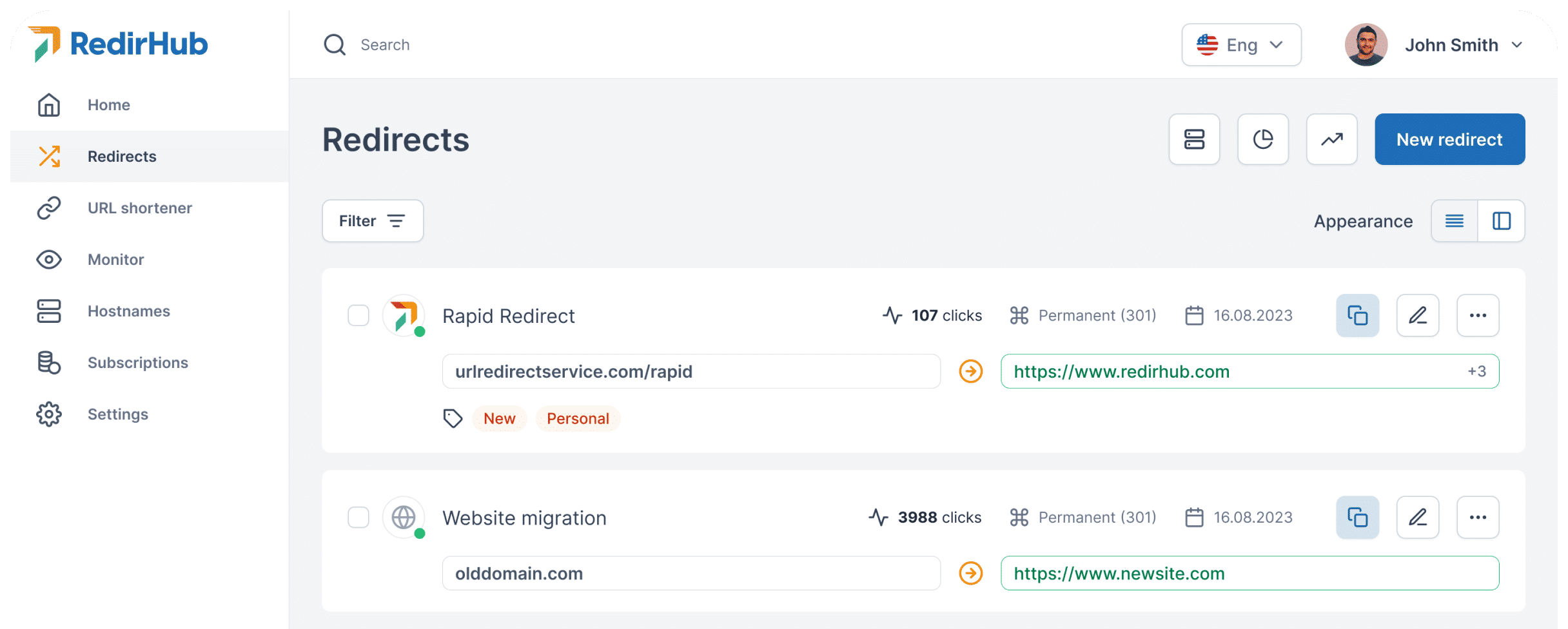
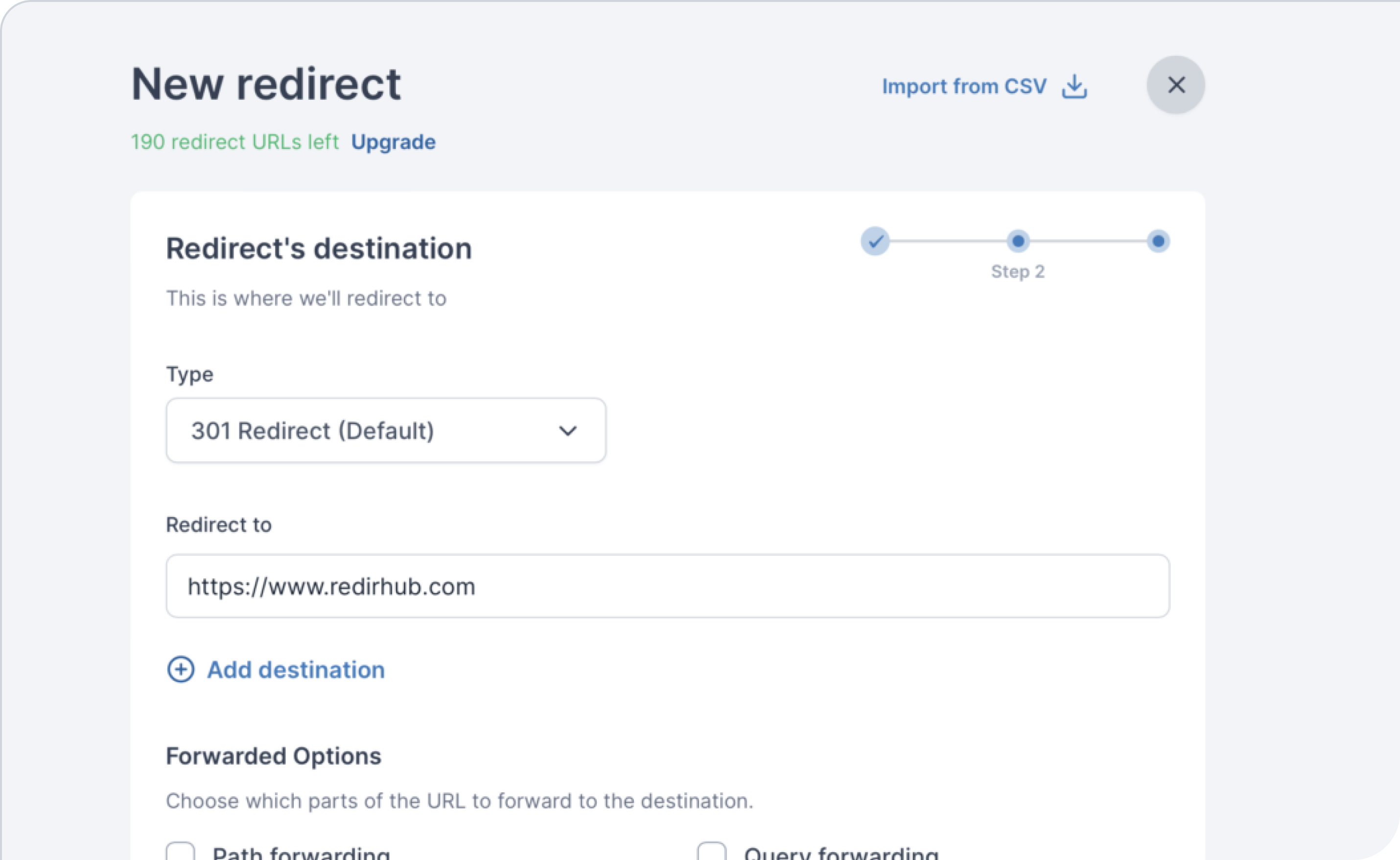
Create powerful redirect rules using pattern matching and regular expressions.
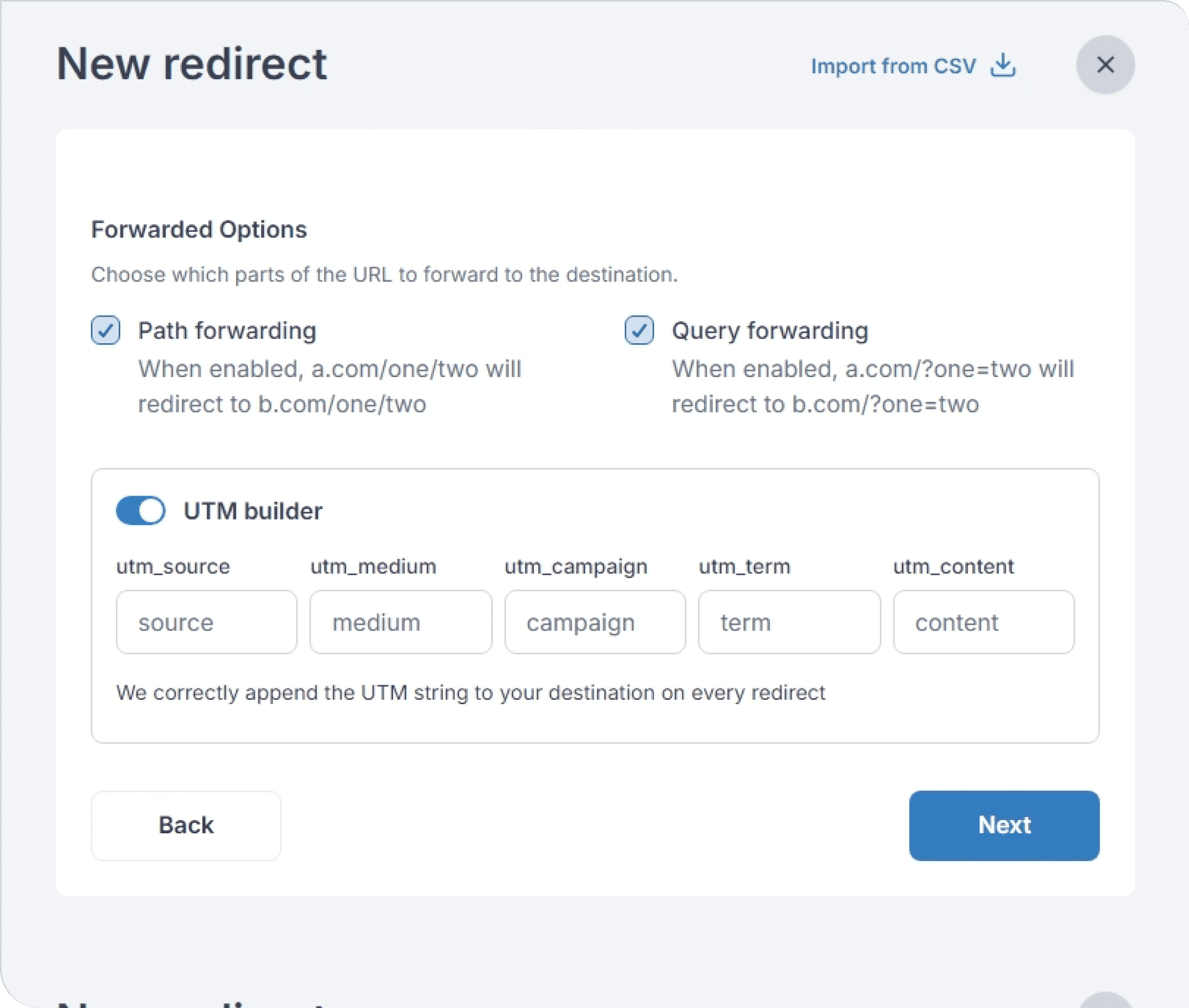
Forwarded Options: Choose which parts of the URL to forward to the destination, including path forwarding (a.com/one/two → b.com/one/two) and query forwarding (a.com/?one=two → b.com/?one=two).
UTM Builder: Automatically append UTM parameters (source, medium, campaign, term, content) to your destination URL on every redirect.
Regular Expressions: Use regex patterns to create flexible redirect rules that match multiple URLs.
It works like a charm, redirecting domain names with SSL is a huge pain. I have to do it frequently, often at mass and it was hours of work. Now it is few clicks.
Zsolt Bikadi
Extremely easy to set up and reporting on redirects that have never had access to before. Easier to sleep now knowing that if a redirect link ever gets broken I will be notified via email.
5 tacos PLUS on this one.
InSearchOf
“Great tool for redirecting domains with https, without the additional cost of a cert. Simple to setup and it walks you through each step. No guessing what needs to be done!”
MarketedPotential
“I’ve been using this for a while, and it’s great—easy to manage and track URLs with no hassle. Simple, reliable, and effective.”
Chris Panton
Building world's best Ecom market
Frequently asked questions
How do I create a redirect in RedirHub?
Creating a redirect takes seconds. Add your domain, choose a destination URL, select 301 or 302, and click Create. Your redirect is deployed instantly across our global edge network with automatic HTTPS.
Can I manage multiple redirects and domains from the dashboard?
Yes. RedirHub’s real-time dashboard lets you manage all your domains and redirects in one place. You can edit destinations, switch redirect types, and organize large domain portfolios with ease.
How fast do redirects deploy after I create or update them?
Redirects deploy globally within seconds. RedirHub’s edge network updates in near real-time, so any change—new redirect or updated destination—propagates instantly without DNS delays.
Does RedirHub support both 301 and 302 redirect types?
Absolutely. You can choose 301 (permanent) for SEO and site migrations, or 302 (temporary) for short-term routing, testing, or campaign links. Switching types is instant and can be done anytime.
Do I need any server setup or hosting to deploy redirects?
No server or hosting setup is required. RedirHub handles everything on the backend. You simply point your domain’s DNS to RedirHub, and we take care of certificates, security, and routing automatically.
Can I bulk create or update redirects for larger projects?
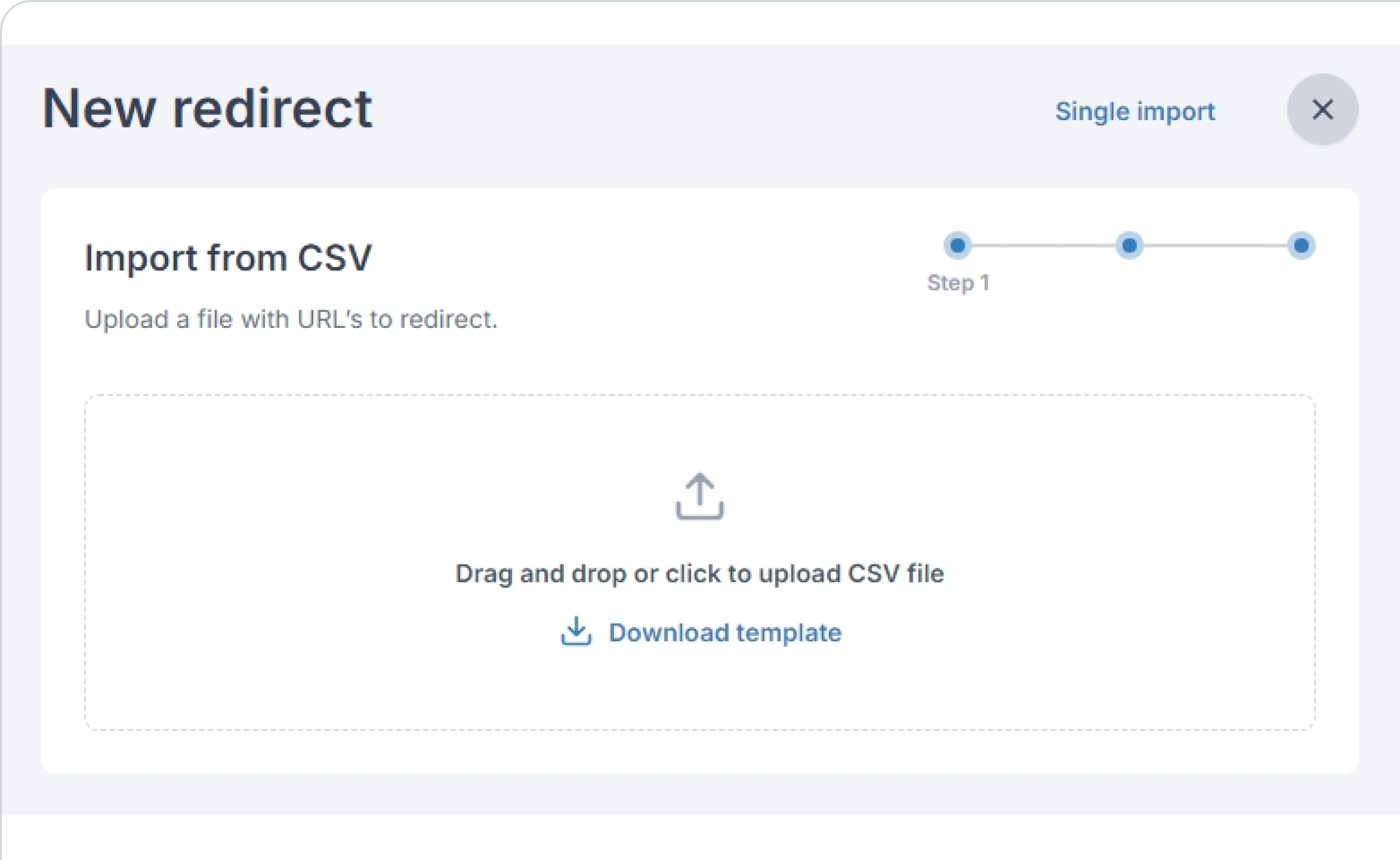
Yes. RedirHub supports managing multiple redirects efficiently, ideal for agencies, IT teams, and domain migrations. Bulk operations, grouped management, and hostname-based pricing make large-scale redirect management easy and cost-effective.